Are you searching for a way to boost your writing? For the last two years, I’ve been testing a popular tool that claims to elevate your content. In this article, I’ll give you my true thoughts on this tool, covering its key features and advantages.
I’ve used this tool a lot, and it’s clear how it can improve your writing style and refine your content. It’s great for students, bloggers, or anyone who writes for a living. Let’s explore what makes it so powerful.
What Is QuillBot?
QuillBot is a unique tool in the world of writing. It helps with tasks like paraphrasing and grammar checking. It’s made to make writing easier and better for everyone.
QuillBot uses natural language processing (NLP) to understand and change text. This lets it offer many features for different writing needs.
The Core Purpose and Technology Behind QuillBot
QuillBot’s main goal is to help writers improve their work. It does this through paraphrasing, summarizing, and grammar checks. The tech behind it is NLP, which helps it work with text well.
This NLP tech lets QuillBot look at the text, find important parts, and rewrite it. It uses special algorithms to make sure the new text makes sense and stays true to the original.
QuillBot’s Evolution Over the Years
QuillBot has grown a lot over time. It started as a simple tool for changing text and now does much more. It can check grammar, summarize texts, and even help with citations.
Today, QuillBot is a powerful tool for many writing tasks. Here are some of its main features and what they do:
| Feature | Description | Benefit |
|---|---|---|
| Paraphrasing Tool | Rephrases text while maintaining original meaning | Enhances writing clarity and diversity |
| Grammar Checker | Identifies and corrects grammatical errors | Improves text accuracy and professionalism |
| Summarizer | Condenses long texts into concise summaries | Saves time and aids in comprehension |
My Complete QuillBot Review After 2 Years
Using QuillBot for two years has taught me a lot. At first, I was excited about its AI writing features. But, as time went on, I saw its real limits.
First Impressions vs. Long-Term Experience
When I first tried QuillBot, I was very impressed. Its ability to change text and summarize was amazing. But, as I kept using it, I found some downsides.
For example, the text changer sometimes made sentences sound weird. Yet, the summary tool was always helpful in making long texts shorter.
QuillBot has helped me write faster and check grammar better. It also helps with citations. But, it has some issues too.
- It doesn’t always understand the context.
- It sometimes changes text in weird ways.
- It takes time to learn how to use it well.
The Learning Curve and Adaptation Period
At first, QuillBot’s interface and features took some getting used to. It has many options for changing the output. Finding the right settings took some trial and error.
One big plus of QuillBot is how it saves time on writing tasks. It lets me focus on more important things like research and planning. The interface is easy to use, as shown in the image below.
In summary, my experience with QuillBot has been both good and bad. It’s a useful tool, but knowing its strengths and weaknesses helps me use it better.
QuillBot Features Breakdown
QuillBot offers a range of tools to change how you write. It’s great for students, writers, and those learning English. Its features meet many writing needs.
Paraphrasing Tool
The paraphrasing tool is a key feature of QuillBot. It helps rewrite sentences and paragraphs. It’s perfect for avoiding plagiarism and making content unique.
Paraphrasing Modes and Their Differences
QuillBot has different paraphrasing modes like Standard, Fluency, Creative, and Formal. Each mode is for a specific use, helping you match your writing to the right context.
Word Fluency and Sentence Structure Control
This tool also lets you adjust word fluency and sentence structure. It’s great for those learning English, helping them write more naturally.
Grammar Checker
The grammar checker is another important feature. It finds and fixes grammar mistakes in your text. This ensures your writing is polished and free of errors.
The grammar checker works well with QuillBot’s other tools. It’s easy to use and helps improve your writing.
Summarizer Tool
The summarizer tool shortens long documents into brief summaries. It’s ideal for students and researchers who need to quickly understand main points.
Using the summarizer saves time. It lets you focus on the most important information.
Citation Generator and Other Utilities
QuillBot also has a citation generator. It helps create citations for academic work. It supports MLA, APA, and Chicago styles.
| Feature | Description | Benefit |
|---|---|---|
| Paraphrasing Tool | Rephrases sentences and paragraphs | Avoids plagiarism, creates unique content |
| Grammar Checker | Identifies and corrects grammatical errors | Ensures polished, error-free writing |
| Summarizer Tool | Condenses lengthy documents into summaries | Saves time, focuses on key information |
| Citation Generator | Creates properly formatted citations | Supports academic integrity, various citation styles |
QuillBot Output Quality and Accuracy
After using QuillBot for two years, I’ve learned a lot about its quality and accuracy. A good writing tool should make text easy to read and natural. You want the text to engage the reader without feeling forced or robotic.
Text Naturalness and Readability
QuillBot has improved a lot in making text natural and easy to read. But, sometimes the output can feel a bit stiff, mainly with complex sentences or technical words. For example, a study on QuillBot’s effectiveness for students showed it’s great at making complex texts simpler. Yet, it can struggle with detailed academic language.
“QuillBot has been a game-changer for my writing,” a user said. “But I’ve had to revise some technical sections to make them sound natural.” This shows how important it is to check and edit QuillBot’s work, mainly for school or work.
To make QuillBot’s output feel more natural, try different modes and settings. For example, switching between “Standard” and “Fluency” modes can change how readable the text is. Also, breaking down long sentences into simpler ones before using QuillBot can help the text flow better.
Handling Complex Sentences and Technical Content
QuillBot is good at handling complex sentences and technical content, but it’s not perfect. It’s great at paraphrasing and making text simpler, but it can struggle with very technical or specialized content. You might find QuillBot does well with general texts but needs more attention for technical or academic writing.
For complex sentences, QuillBot can make them simpler, which helps with reading. But, this can sometimes lose important details or nuances. A user said, “QuillBot is great for getting the main idea of a text, but I’ve had to add back some details it missed.” This shows QuillBot is powerful but not a full replacement for human editing, where precision matters.
Knowing what QuillBot can and can’t do helps you use it better. Whether you’re a student working on essays or a professional refining documents, QuillBot can be a valuable tool.
QuillBot Free vs. Premium: Is It Worth Upgrading?
Choosing between QuillBot’s free and premium versions depends on what you need. It’s important to know the differences before deciding.
Capabilities and Limitations of the Free Version
The free version of QuillBot has tools to help with writing. It includes a paraphrasing tool, grammar checker, and summarizer. But, it has some limits.
For example, you might not get access to advanced paraphrasing modes or higher word count limits for some tools.
Even with these limits, the free version is great for basic writing needs. It’s also a good way to try out QuillBot before paying for a premium subscription.
Exclusive Benefits of Premium Features
QuillBot Premium offers more advanced features to help you write better and faster. You get unlimited word count for paraphrasing and summarizing. You also get access to advanced modes for better writing help and priority customer support.
If you’re a serious writer, business, or student, QuillBot Premium is a big help. It makes writing easier and improves your work.
Assessing Return on Investment for Different Users
Deciding to get QuillBot Premium depends on your writing needs and how often you write. If you’re a casual user, the free version might be enough. But, if you’re a professional writer or student with lots of work, the premium version is worth it. It saves time and makes your writing better.
Think about the cost of QuillBot Premium and what it offers. Consider how it can improve your writing and save you time.
QuillBot Pricing: Breaking Down the Cost
Understanding QuillBot’s pricing is key to making a smart choice. It offers various subscription plans to fit different needs and budgets. Knowing these options helps you get the most out of QuillBot without spending too much.
Current Subscription Options and Discounts
QuillBot has three main plans: monthly, semi-annual, and annual. The monthly plan is great for those who don’t want to commit long-term. The semi-annual and annual plans offer discounts for longer commitments. For example, the annual plan is cheaper than the monthly one, making it a good deal for frequent users.
The current prices are:
- Monthly Plan: $XX.XX per month
- Semi-Annual Plan: $XX.XX per month (billed semi-annually)
- Annual Plan: $XX.XX per month (billed annually)
Price-to-Value Ratio Compared to Competitors
It’s important to look at QuillBot’s value compared to others. QuillBot’s prices are competitive, like Grammarly and ProWritingAid. The best value depends on the features and benefits each plan offers.
For instance, QuillBot’s premium features, like advanced paraphrasing and grammar checking, are great for writers and content creators. The
In the end, choosing QuillBot or its alternatives depends on your needs and budget. By comparing prices and features, you can pick the best tool for your writing needs.
The Pros and Cons of QuillBot
QuillBot has been a valuable tool in your writing arsenal, but like any tool, it has its strengths and weaknesses. As you consider using QuillBot, it’s essential to understand both what it does well and where it falls short.
What QuillBot Excels At
QuillBot has several features that make it an excellent choice for many users. Let’s take a closer look at some of its standout qualities.
User Interface and Experience
One of QuillBot’s significant advantages is its intuitive user interface. The platform is designed to be user-friendly, making it easy for you to navigate and utilize its various features without a steep learning curve.
Speed and Efficiency
QuillBot is also notable for its speed and efficiency. It can process and paraphrase text quickly, saving you time and effort in your writing tasks.
Integration Capabilities
Further, QuillBot offers seamless integration with various platforms and tools, making it more useful and flexible for different users.
Where QuillBot Needs Improvement
While QuillBot has many strengths, it also has areas where it can improve. Understanding these weaknesses is key to getting the most out of it.
Accuracy Issues
One area of concern is accuracy. At times, QuillBot may not fully capture the nuances of the original text or may introduce inaccuracies, which can be a problem with complex sentences or technical content.
Feature Limitations
Also, some users may find that certain features are limited or not as detailed as they would like. For example, the free version has restrictions that might not be enough for all users.
Customer Support Experience
The quality of customer support is another area for improvement. Some users have reported mixed experiences with the responsiveness and helpfulness of the support team.
| Feature | Strengths | Weaknesses |
|---|---|---|
| User Interface | Intuitive and user-friendly | Could be more customizable |
| Speed | Fast processing of text | May sacrifice accuracy for speed |
| Integration | Seamless integration with various platforms | Limited compatibility with some software |
QuillBot for Different User Groups
QuillBot has tools for everyone, from students to content writers. It helps non-native English speakers too. Each group finds something useful in QuillBot.
QuillBot for Students and Academic Writing
Students find QuillBot great for school work. It makes complex sentences easier to understand. The grammar checker keeps your writing error-free.
The summarizer tool is also a big help. It turns long texts into short summaries. This makes studying and research easier.
QuillBot for Content Writers and Bloggers
Content writers and bloggers get a lot from QuillBot. It helps create unique content and avoid plagiarism. The citation generator makes referencing easy.
QuillBot also improves your writing’s tone and style. This makes your content more engaging for your readers. It helps you work more efficiently.
QuillBot for Non-Native English Speakers
QuillBot is a big help for those learning English. It checks grammar and suggests better sentences. This is great for those who struggle with English.
It also helps you sound more confident in your writing. QuillBot bridges the gap between your ideas and clear communication.
QuillBot’s Plagiarism Checker: How Reliable Is It?
AI-generated content has become common, making tools like QuillBot’s plagiarism checker vital. They help keep your work original. QuillBot’s premium feature checks if your content is unique.
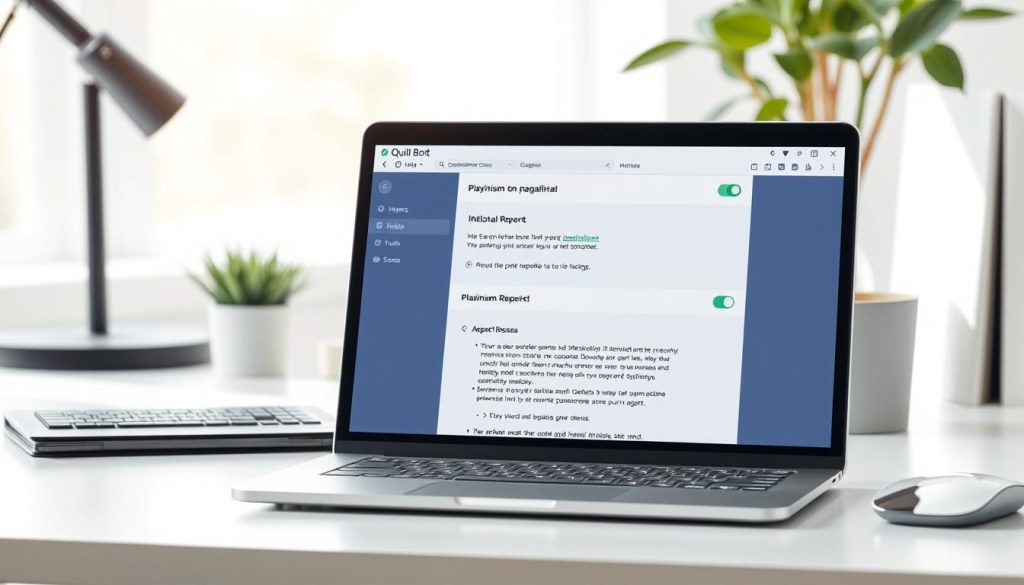
QuillBot’s plagiarism checker looks through a huge database to find any matches. It’s great for students, writers, and professionals. They need to make sure their work is genuine.
How the Plagiarism Detection Works
QuillBot uses smart algorithms to scan your text against a huge database. It breaks your content into parts and checks them against the database. This way, it finds any similarities.
Key aspects of QuillBot’s plagiarism detection include:
- Advanced algorithm for comparing content
- Vast database coverage including academic journals and published works
- Detailed report on matched sources
Accuracy and Database Coverage Limitations
QuillBot’s plagiarism checker is strong, but its accuracy depends on its database. It covers a lot, but might miss very new or not-indexed sources.
It’s also worth noting that while QuillBot is a powerful tool, comparing it to other plagiarism detection tools like Grammarly can provide a more complete view of its abilities.
In summary, QuillBot’s plagiarism checker is a great tool for checking your content’s originality. Knowing how it works and its limits helps you use it well. This keeps your work honest and true.
QuillBot vs. Grammarly: A Detailed Comparison
When looking at writing tools, QuillBot and Grammarly stand out. Each has its own set of features and benefits. It’s important to compare them closely to find the best fit for your writing needs.
Feature-by-Feature Comparison
QuillBot and Grammarly both have features to improve your writing. QuillBot is great for rewriting and summarizing, perfect for writers and students. Grammarly, on the other hand, is known for its grammar and plagiarism checks.
Let’s dive into their features:
| Feature | QuillBot | Grammarly |
|---|---|---|
| Paraphrasing Tool | Advanced paraphrasing capabilities | Limited paraphrasing functionality |
| Grammar Checker | Basic grammar checking | Advanced grammar and spell checking |
| Plagiarism Detection | Not available in the free version | Available in the premium version |
| Summarization Tool | Available | Not available |
Pricing and Value Comparison
Pricing is key when deciding between QuillBot and Grammarly. QuillBot has a free version and a Premium plan at $8.33/month billed annually ($99.95/year), or $19.95 month-to-month, as of November 2026. Grammarly’s web plans are now sold as Pro, at $12/month billed annually ($144/year), or $30 month-to-month.
Both tools have competitive prices. The real value comes from the features and benefits they offer. Choose the tool that best fits your writing needs.
QuillBot Pricing Plans:
- Free Version: Limited features
- Premium: $8.33/month billed annually ($99.95/year), or $19.95 month-to-month
Grammarly Pricing Plans:
- Free Version: Basic grammar and spell check
- Pro: $12/month billed annually ($144/year), or $30 month-to-month
- Enterprise: Custom pricing for organisations
Use Case Scenarios: When to Choose Which Tool
Choosing between QuillBot and Grammarly depends on your writing needs. If you need help with rewriting and summarizing, QuillBot is a good choice. For grammar and plagiarism checks, Grammarly is better.
Here are some scenarios to consider:
- Academic Writing: Grammarly’s plagiarism detection and grammar checking are strong points.
- Content Creation: QuillBot’s rewriting and summarizing are very useful.
- General Writing: Both tools can be helpful, depending on your needs.
Understanding your writing needs and comparing QuillBot and Grammarly will help you make a smart choice.
Other QuillBot Alternatives Worth Considering
QuillBot is a great tool, but there are other options too. The world of writing helpers is wide, with many tools for different writing needs.
Wordtune: Strengths and Weaknesses
Wordtune is a top choice for those looking for sentence rephrasing. It’s known for its contextual understanding, keeping the original meaning. Yet, some say its suggestions can be too simple for complex texts.
Its interface is easy to use, great for all writers. It also has features like tone adjustment and fluency help, which are good for those not fluent in English.
ProWritingAid: A Detailed Look
ProWritingAid is a full-featured tool, not just for rewriting. It checks grammar and spelling, analyzes style and syntax, and detects plagiarism. It’s perfect for those needing a tool that does it all.
Its detailed reports are a big plus, showing how to improve your writing. But, it might be too much for beginners, needing time to learn.
Other Emerging AI Writing Assistants
There are new AI writing tools to check out, like Grammarly’s newer versions and AI-powered writing companions. They’re getting better, with features like better understanding and personalized tips.
These new tools are worth trying. They might offer solutions that fit your writing needs better.
How I Integrate QuillBot in My Daily Workflow
QuillBot is a key part of my daily routine. As a writer, I need to create top-notch content fast. QuillBot’s tools make this easier.
My Productivity System with QuillBot
I use QuillBot to make sentences clearer and grammar better. First, I rephrase complex sentences with its tool. This makes my writing easy to read and saves time.
Next, I check my work for grammar and punctuation errors. This keeps my writing quality high. Using these tools cuts down my editing time a lot.
| Task | QuillBot Feature Used | Time Saved |
|---|---|---|
| Rephrasing complex sentences | Paraphrasing Tool | 30 minutes |
| Grammar and punctuation check | Grammar Checker | 20 minutes |
| Summarizing long documents | Summarizer Tool | 1 hour |
Time-Saving Techniques and Browser Extensions
I’ve found ways to work faster with QuillBot. Its browser extension lets me use its tools right from my browser. This saves me time by not having to switch tabs.
I also link QuillBot with other tools. For example, its citation generator helps me format references quickly. This saves me hours of manual work.
Adding QuillBot to my daily tasks has boosted my writing quality and speed. It’s great for students, writers, or anyone wanting to improve their writing. QuillBot’s tools can be customized for your needs.
Conclusion: Is QuillBot Worth Your Time and Money?
After using QuillBot for two years, it’s clear it has grown a lot. It now offers a wide range of writing tools. This goes beyond just changing how you write, helping with many writing tasks.
QuillBot Premium is a good choice if you write often. It has advanced tools for rewriting, checking grammar, and summarizing. These features can really help you write better and faster.
Whether QuillBot is right for you depends on what you need. If you want a tool to make your writing better and faster, QuillBot is a great option. Its premium features make it even more useful.